BVCC USER EXPERIENCE TRACK | 2023
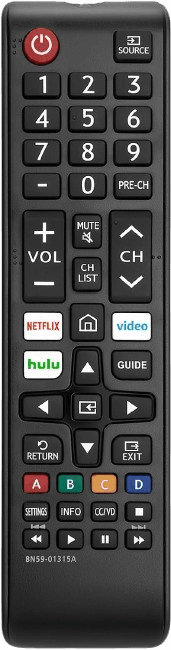
Designed with aging in mind
Rethinking remotes for the elderly population
For many older adults, something as simple as changing the channel can become frustrating. This redesign focuses on restoring ease, confidence, and control in everyday interactions.
Explore the process
↓




TIMELINE
October 1st - 3rd, 2023
PLATFORM
Figma (Figjam), Procreate, Google Forms
MY ROLE
Product and Usability Researcher, UX/UI Designer
Introduction
Black Venture Capitalism Consortium a nonprofit organization whose mission is to increase diversity in the Venture Capital & Startup Ecosystem. Through their UX/UI 2023-2024 Fall Track, various exercises and prompts were provided to strengthen not only design, but also empathy, ideation, and teamwork skills. For this challenge particularly, we were tasked with creating something (website, app, product, etc.) that would solve a widespread issue seen amongst a demographic.
Project brief
Our team chose to focus on elderly technology users, a demographic that is often underrepresented in product design. While many existing solutions center around health-related needs, fewer products are designed to support everyday usability and independence.
Because this was not tied to an existing company, the project emphasized designing around user needs while still considering realistic production constraints.
Who is our customer?
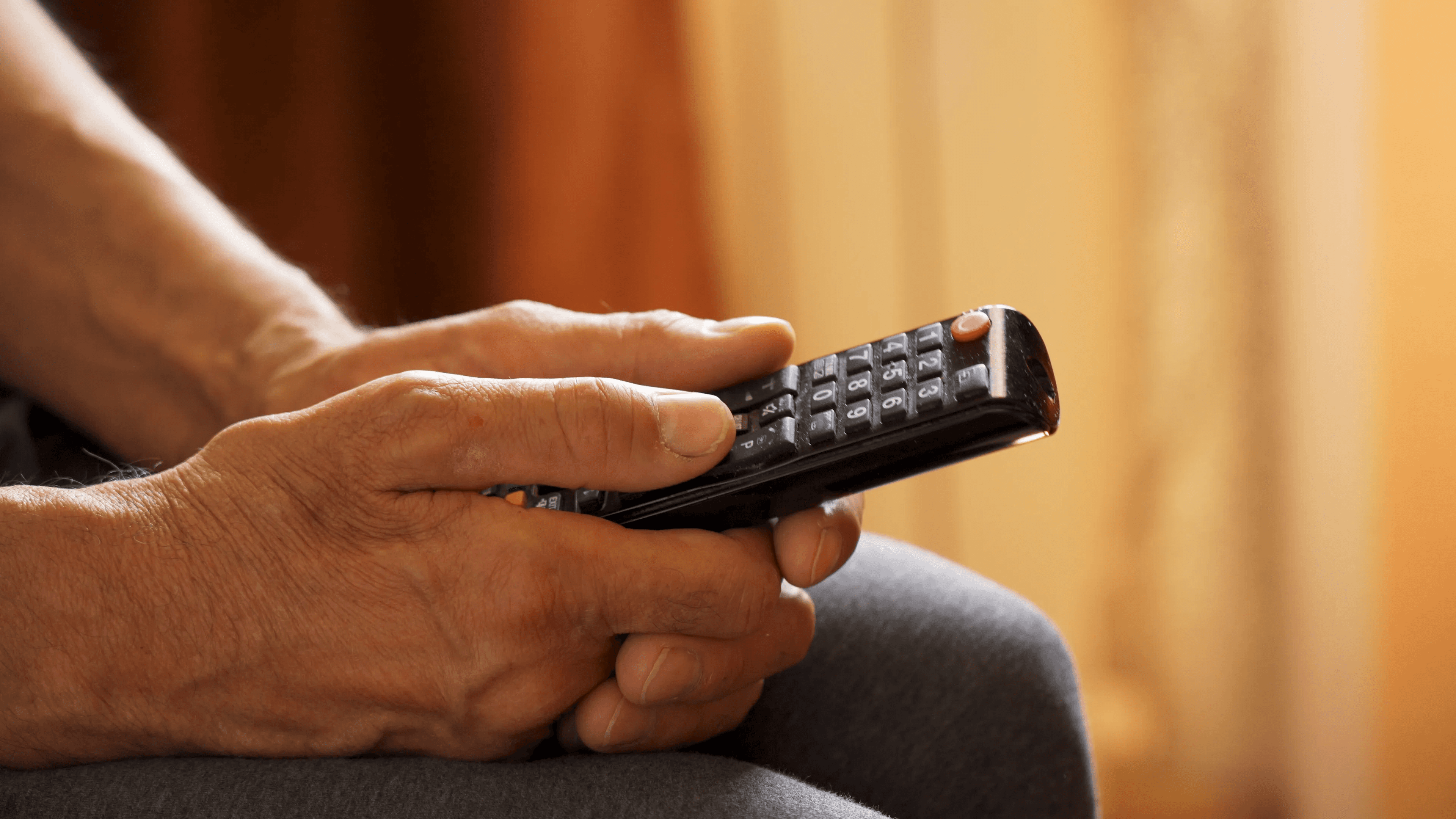
We designed for adults aged 60+, who often face barriers when interacting with modern technology due to a lack of accessible and intuitive design.
Key user needs included:
Ease of use — accommodating decreased manual dexterity and physical limitations
Peace of mind — reducing anxiety and aversion to technology and data privacy
Learnability — ensuring devices are easy to adopt and understand
Recognizability — maintaining familiar design patterns and interactions
Research Approach
Due to time constraints during the BVCC session, initial research was limited. To strengthen the project, I conducted additional informal interviews with five individuals within the target age group to better understand their experiences with television remotes.
Ideation & Affinity Mapping
We used FigJam as a space to map out our early thinking and organize everything in one place. This included defining our target users, identifying common issues they face with technology, and starting to shape our problem statement and “How might we” questions.
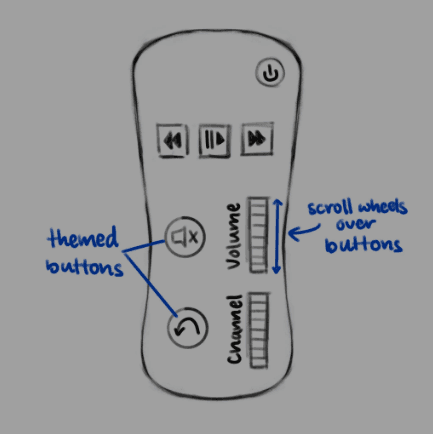
As we worked through it, we chose which issues we believed impacted our target users the most. We also began sketching out initial remote concepts to explore possible solutions early on.
Having everything visualized like this made it easier to connect our research, ideas, and design direction, and gave us a clear foundation to build on as we moved forward.
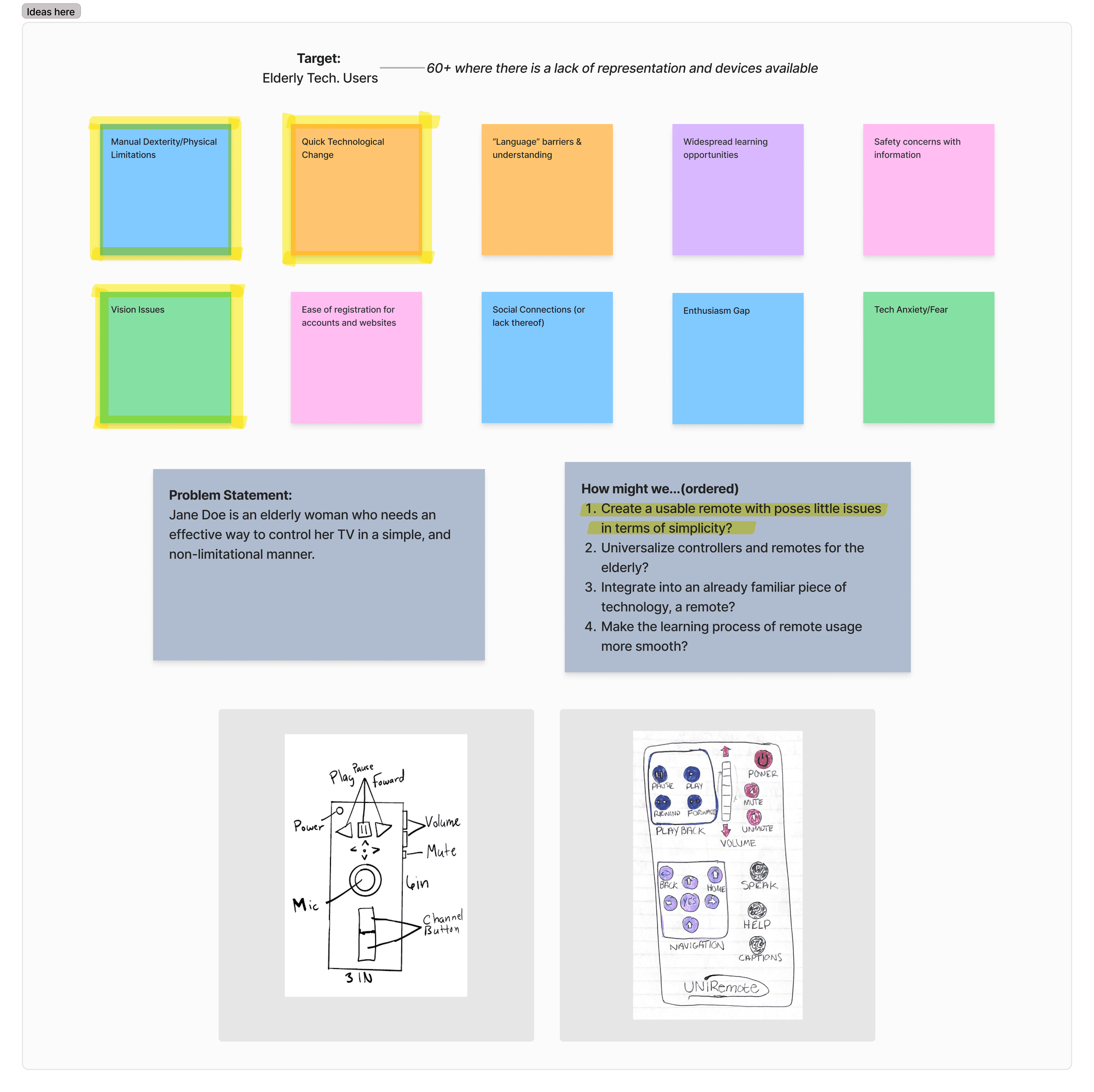
This early ideation helped guide our research and highlighted key areas to explore further with users.
Key Insights
Too many buttons create confusion and overwhelm
Multiple remotes are required for different devices
Interfaces rely too heavily on labels and instructions
Buttons are too small, leading to accidental presses
Navigation systems are complex and hard to follow
Iterations & Feedback
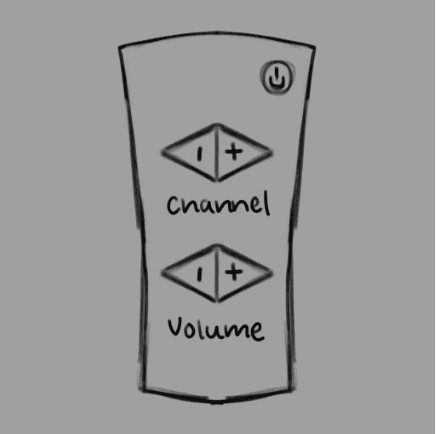
Iteration #1
Too simple, not enough functionality for level of control desired. Add more buttons + make more ergonomic.
Iteration #2
Lack of visual confirmation that an action has been completed. Buttons at top may be awkward to reach/push.
Final Iteration
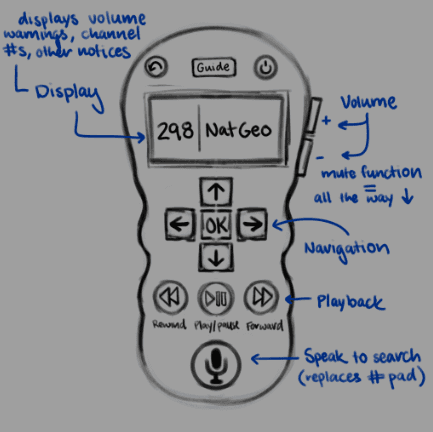
Remote body easy to hold, buttons feel less awkward. Reviewers liked the removal of the numpad in favor of voice control.
Final Design
The final design focuses on simplicity, accessibility, and ease of use. By reducing button complexity and introducing voice control, the remote supports more intuitive interaction while maintaining essential functionality.
Constraints & Obstacles
The primary constraint of this project was the absence of an established business. Given that in most UX/UI work, designers balance user needs with the goals, limitations, and values of the organization behind the product, the absence of concrete requirements was challenging. Designing typically includes understanding operating costs, evaluating how products or services are positioned against competitors, and conducting thorough competitive research. These factors all play a critical role in shaping a successful solution.
Additionally, I would have liked to develop a physical prototype for user testing. User testing is an essential part of the design process, as it provides direct, hands-on feedback that cannot be replicated through theory alone. Putting a product into users’ hands not only helps validate functionality and usability, but also ensures that the final experience meaningfully aligns with their needs and expectations.
Reflection
This UX/UI design sprint strengthened my ability to translate user insights into practical, user-centered design solutions. By choosing to engage directly with users, I built empathy and gained a deeper understanding of their needs, behaviors, and how accessibility shapes everyday interactions with technology.
Throughout the process, I developed my problem-solving, prototyping, and visual design skills, using iteration and feedback to continuously refine the experience. This project also gave me insight into how usability testing can guide meaningful design decisions.
If I were to continue this project, I would focus on developing a physical prototype and conducting usability testing using it to further validate and improve the final design.
Have questions or want to explore this concept further? I’m happy to discuss additional details in a one-on-one conversation.

© 2026. Mikaili Hackel. All rights reserved

Designer, photographer, artist, and entrepreneur.
in
UX/UI Design